If you have problems starting your server package, it is possible that there is a conflict with Port 80 (Localhost).
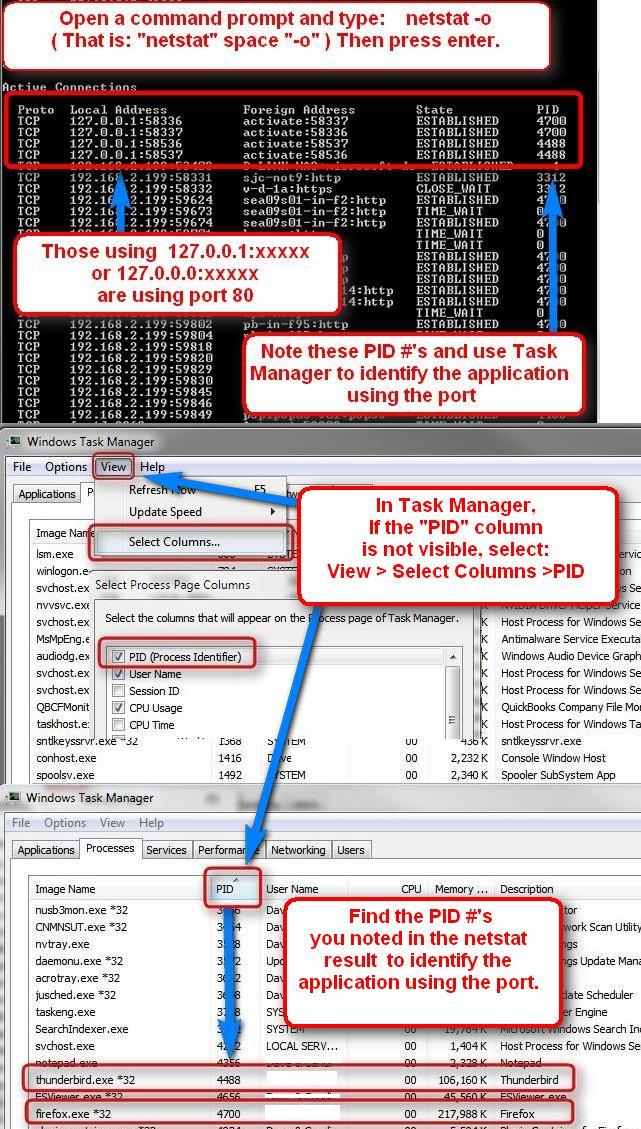
On a pc, you can use the Command Prompt along with Task Manager to locate applications using the port. I’m not sure of the steps on a mac, but they are similar.
To open a command prompt in Win.7: (For other versions, do a search)
Click on the Start button. In the search box at the bottom of the start dialog, Type cmd and hit enter.
Now, follow along with the screenshots to locate applications that may be using Port 80.